Web Design
WordPress Web Design Company
Custom themes, block architecture, and a build your team can edit without calling anyone: WordPress web design from an agency that hands over the keys instead of keeping them.
Get Your Free Proposal Call (888) 644-7795
- You own the theme, content, and hosting outright
- Theme decision made before design starts
- Free proposal names the honest build cost
As Featured In






Egochi is a WordPress web design company building custom WordPress websites that businesses own outright: the theme, the content, the data, and the hosting account all yours, with no platform rent and no agency lock-in. The work runs from theme strategy and Figma design through WordPress development, speed and security gates, and training, on WordPress and WooCommerce. Egochi has designed and built websites since 2014, for local firms through national brands, and WordPress carries most of that work because it earns the job more often than it loses it. The next step costs nothing: a free proposal that names the right theme strategy for your site and what the build honestly costs.
How much does WordPress web design cost?
WordPress web design at Egochi is project-priced, and the theme decision sets the band: a premium-theme build runs $3,500 to $5,000, a custom-theme site runs $8,000 to $15,000, and builds carrying WooCommerce or custom plugin work start near $20,000. Maintenance runs from $150/month after launch. The theme-decision table below is the honest math behind those bands.
Egochi has been building WordPress sites since 2014, from offices in New York, Miami, Milwaukee, and Madison, with 250+ Google reviews and 190+ Clutch reviews at a 5.0 rating behind the work. One honesty up front: there is no official WordPress certification program, so we will never call ourselves certified WordPress experts, and you should read that claim skeptically wherever you meet it. What stands behind this page instead is 12+ years of WordPress builds and the WordPress engagements in our case library, published whole.
What is WordPress web design?
WordPress web design is the design and development of a website on WordPress, the open-source content management system behind 43% of all websites. Professional work here means a theme strategy chosen on purpose, templates your team can edit without a developer, hosting and caching set up properly, and a site you own outright: code, content, and data.
WordPress Web Design Services We Offer
Twelve pieces of WordPress work. Discovery decides which ones your build needs, and which it can honestly skip.
-
Custom WordPress Design
Unique WordPress website design built in Figma against your brand and your buyers, then developed as a theme that carries only the code the design needs. Custom means designed for you, not a template with your logo dropped in.
-
WordPress Theme Development
Themes built from scratch and child themes on solid parents, with clean templates, structured fields, and update paths that never overwrite your work. The part of a WordPress build that decides how the site ages.
-
Elementor and Block Editor Builds
Builds on Elementor Pro or native Gutenberg blocks when your team needs to edit layouts themselves. We build both with a weight budget, because editing freedom priced in load time is a bad trade.
-
WooCommerce Store Design
Product templates, category pages, and checkout paths designed on the ecommerce stack WordPress runs natively. The WooCommerce section below covers this at full depth, because store design is its own craft.
-
WordPress Redesign
Rebuilds of existing WordPress sites that keep the rankings and URLs the old site earned. The preservation discipline, redirect maps, verbatim carry-over, staged launches, lives with our website redesign services.
-
WordPress SEO
Every build ships search-ready: clean permalinks, one SEO plugin configured, schema that matches the page. The ongoing ranking work, plugin-stack audits, caching strategy, content programs, runs through our WordPress SEO services.
-
Speed and Caching Setup
Page caching matched to your host, right-sized images, and templates that pass Core Web Vitals on real devices. Speed is a launch gate on our builds, not a plugin you buy later.
-
WordPress Security Hardening
SSL, login protection, file permissions, and a plugin list short enough to keep updated. Most hacked WordPress sites were not attacked cleverly; they were left unlocked. We build the locks in.
-
Custom Plugin Development
Purpose-built plugins when the job is real and no existing plugin does it without dragging ten features you do not need. Scoped honestly, because custom code is also custom maintenance.
-
Migration to WordPress
Moves from Wix, Squarespace, Webflow, and custom stacks onto WordPress you own, with content carried whole, URLs mapped to one-hop redirects, and rankings watched through the switch.
-
Conversion Paths and Forms
Lead capture, booking flows, and calls to action designed into the templates rather than bolted on. The testing discipline that keeps improving them after launch runs through our conversion rate optimization services.
-
Training and Maintenance
Recorded walkthroughs and documentation at handover, then ongoing support from $150/month: core and plugin updates, backups, security monitoring, and small fixes. A WordPress site you cannot run yourself missed the point of WordPress.
Why Businesses Build on WordPress
Six real advantages, stated honestly, including the trap inside the best one. WordPress earns the job more often than it loses it, but it earns it for reasons, not by default.
-
Complete Ownership
WordPress is open-source software you install, not a platform you rent. Your theme, content, and data live in files and a database you can copy to any host on earth, and nobody can raise the rent or retire your site out from under you.
-
An SEO-Ready Foundation
Server-rendered HTML, clean permalinks, real control over titles, schema, and markup. WordPress does not rank sites by itself, nothing does, but it puts every lever in your hands instead of behind a platform ceiling.
-
Customization Without Ceilings
Closed builders end at what their editor allows. WordPress ends at what can be coded, which for business sites means effectively nowhere: custom themes, custom fields, custom plugins, whatever the design honestly requires.
-
Scales Without Replatforming
The same install grows from a five-page site to a WooCommerce store, a membership area, or a multisite network. Growing on WordPress is a project; growing off a closed builder is a rebuild.
-
Your Team Edits Everything
The block editor and a well-built admin mean your in-house team updates pages, publishes posts, and swaps images without a developer invoice. This is the platform advantage most builds squander with fragile setups; ours are built to be edited.
-
An Ecosystem, Used With Restraint
Tens of thousands of plugins cover forms, booking, commerce, and memberships, which is genuine power and a genuine trap. The value is not installing many; it is knowing the few worth trusting with your site.
What Every WordPress Build Ships With
Six deliverables that are in every project, not on the options list. They are the difference between installing WordPress and designing on it.
-
Custom Theme Design
Design decided in Figma and built to match, with page templates for every content type and a visual system your brand actually owns.
-
Mobile-First Templates
Responsive layouts designed for the screens most visitors hold, with touch-sized targets and templates tested on real devices, not a resized browser. Every template ships to WCAG 2.2 AA accessibility practice, the standard behind ADA compliance.
-
SEO-Ready Architecture
Clean permalinks, one configured SEO plugin, XML sitemaps, and schema that matches the visible page. Search-ready at launch, by checklist.
-
Page Speed and Core Web Vitals
Caching matched to the host, compressed images, and templates light enough to pass the thresholds Google publishes. Measured before launch, not promised after.
-
Security Hardening
SSL, login protection, correct file permissions, and scheduled updates, built in at launch because retrofitting security after an incident costs more.
-
Plugin Wiring, Not Plugin Sprawl
Forms, analytics, and the tools your business runs on, connected and tested end to end, with a plugin list short enough to audit on one screen.
Should I use Elementor or a custom WordPress theme?
Pick by who edits the site. Elementor lets a non-technical team change layouts freely, at the price of heavier pages and a stack that needs discipline. A custom theme runs lighter and lives longer, but layout changes go through a developer. Teams that publish weekly lean builder or blocks; brands that change design yearly lean custom. Page one of this decision is people, not software.
What a Custom Theme, Premium Theme, or Builder Really Costs
Every WordPress quote hides one decision that moves it more than any other: what kind of theme the money buys. Project budgeting and the build discipline underneath it live on our web design services page; this table answers the WordPress question that page leaves open, priced the way we price it in proposals: as total cost of ownership, not build cost.
| What it decides | Custom theme | Premium theme | Page builder |
|---|---|---|---|
| Build cost | $8,000 to $15,000 | $3,500 to $5,000 | between the two, plus the builder license every year |
| Launch speed | six to ten weeks | three to five weeks | four to eight weeks |
| Page weight | only what the design needs | ships features your pages never use | heaviest of the three; the cost our WordPress SEO audits measure most often |
| Who edits layouts | content freely; layouts through a developer | content plus the theme options panel | your whole team, which is the point and the risk |
| Typical lifespan | five-plus years with maintenance | three to four years, tied to the theme vendor | three to five years, tied to the builder roadmap |
| Where it wins | real design requirements and traffic worth protecting | tight budgets and standard layouts, honestly served | teams that change page layouts weekly |
Read the whole table, not the first row. Build price is paid once; maintenance drag and lifespan are paid every year after, and the theme that looked cheapest on build day often forces the next rebuild years early. An honest proposal names which column fits your team and why, and ours will, even when the answer is the smaller project.
The Full Argument for a Website You Own
Every WordPress page on the internet lists ownership as a benefit and then moves on in one sentence. It deserves the full argument, because it is the truest thing WordPress has over the closed-builder class, and because it has honest limits nobody selling WordPress likes to name.
-
The license is the point
WordPress is open-source software under the GPL. You are not a tenant on someone else’s platform: the software is yours to run, modify, and move, and no company can raise the rent, retire the product, or change the terms your site lives under.
-
Your site moves whole
A WordPress site is files and a database, and both copy to any host on earth. Outgrow your hosting, your developer, or your agency, and the site goes with you: content, design, URLs, and rankings intact. That exit door changes every negotiation you will ever have about your website.
-
What leaving a closed builder costs
Wix and Squarespace sites do not export as working sites: the design stays behind, most content needs manual moving, and URL structures change, which puts rankings at risk in the move. None of that is a scandal, it is the deal those platforms offer. The honest framing is rent versus own, and rent is fine until the day you want to leave.
-
Own the agency relationship too
Lock-in is not only a platform trick; agencies do it with held admin accounts, hosting you cannot access, and undocumented builds. Ours ships the opposite way: your accounts, your hosting relationship, documentation and training recordings at handover. You should be free to fire us, because a partner you cannot leave is a landlord.
-
What ownership does not mean
Owning the site means owning its upkeep: updates, backups, and security are now yours to run or to hire, where a closed builder quietly did them for you. That is the real trade, and it is why maintenance appears on this page as a design deliverable with a price, not fine print.
Pages Built From Fields, Not From Builders
Under the visual design sits an architecture decision that decides whether the site is still coherent in year three: whether pages are built from structured fields or from freeform builder canvases. For marketing sites with teams that publish, we build with custom post types and Advanced Custom Fields, and this is the case for it.
-
Every content type gets a home
Services, locations, team members, and case studies become custom post types with their own fields and templates, instead of one pile of lookalike pages. Add a location and the site knows what a location is: where it lists, how it links, what schema it carries.
-
Editors fill fields while templates carry design
With ACF, a page is a form: headline, intro, proof points, image. The template decides how those render, so nobody can break the layout on a Tuesday afternoon, and a future redesign restyles every page by editing templates, not four hundred hand-built canvases.
-
Structure compounds into search
When content is fields, schema, internal links, and heading patterns are templated once and correct everywhere. Builder-canvas sites drift page by page; field-built sites stay consistent at any page count, which is exactly what search engines and AI answers reward.
-
Where freeform still wins
Campaign landing pages and one-off layouts genuinely benefit from a builder canvas, and our field-built sites usually keep one flexible template for exactly that. The architecture position is not builders never; it is structure for the pages that repeat, freedom for the pages that do not.
Maintenance Is a Design Decision, Not a Subscription
WordPress maintenance is usually sold as an afterthought subscription. It is actually a set of design-phase decisions, because whether a site stays updatable gets decided when it is built, not when it breaks. Here is what we build in, and what the $150/month floor buys after launch.
-
A plugin list short enough to update
Every plugin is a small maintenance contract: updates to apply, conflicts to watch, an attack surface to carry. Builds ship with the fewest plugins that do the job, which is the single biggest maintenance decision and it happens before launch.
-
An update path that cannot take the site down
Child themes so updates never overwrite custom work, backups before every update round, and a staging copy for anything risky. Sites that skip WordPress updates are not lazy; they are scared, and the fix is a build that makes updating boring.
-
Security done at build time
SSL, login protection, file permissions, and admin hygiene cost almost nothing during the build and a bad month after a breach. Most compromised WordPress sites run outdated plugins on unlocked doors; both are maintenance failures, not platform failures.
-
Documentation your next developer can read
What the theme does, what each plugin is for, where the customizations live. Undocumented sites rot into untouchable ones, and the eventual cleanup bill lands years later on whoever inherits the mess. Ours ship with the map.
When WordPress Is the Wrong Call
We sell WordPress web design, and we moved egochi.com itself off WordPress onto a static stack. Both are true, and the reasons are a decision framework, not a contradiction. WordPress earns its keep when a team edits and publishes; when nobody does, its main advantage sits unused while its maintenance costs keep running. Three honest cases against it:
-
Sites that rarely change
A site edited a few times a year does not need a CMS, a database, and a plugin stack to maintain; a static build is faster, cheaper to host, and has almost nothing to hack. That is the math our own rebuild ran, and it is the same math we will run on yours.
-
Pure catalog stores with no content program
WooCommerce shines when content and commerce share one stack. A store that is only a catalog and a checkout, with no publishing program around it, is often better served by a hosted commerce platform that handles PCI, uptime, and checkout for you. Rent is sometimes the right deal.
-
Teams that will never touch the site
If every change will go through an agency anyway, the editor your team was never going to use stops justifying the stack that carries it. Fewer moving parts win. For sites already on WordPress weighing a move, the stay-or-go framework our WordPress SEO team publishes runs that decision on evidence.
WooCommerce Design for Stores You Own
WooCommerce turns a WordPress build into a store you own as completely as the site itself, and store design is its own craft. Catalog-scale search work, faceted navigation, feeds, out-of-stock rules, lives with our ecommerce SEO services; this section is the design layer.
-
Product templates that sell the thing
Photography-first layouts, honest spec tables, reviews where buyers look for them, and structured fields per product type, so a hundred products stay as coherent as ten.
-
Checkout as a designed path
Cart to confirmation with the fewest honest steps: guest checkout, clear shipping math before the last screen, and payment options your buyers actually use. Most abandoned carts are design failures, not pricing failures.
-
Catalog speed discipline
Stores carry more weight per page than any brochure site: image sets, variation scripts, cart logic. Product and category templates get the same Core Web Vitals gate as everything else we ship, measured at catalog size.
-
Content and commerce on one stack
The real reason to pick WooCommerce over a hosted cart: the buying content, comparisons, sizing help, use-case posts, lives on the same install as the products it sells, linked at the paragraph level. Stores without a content program should read the honesty section above first.
Why Businesses Pick Egochi for WordPress Web Design
-
Experience, Not a Certificate
There is no official WordPress certification, so we do not claim one, and neither should anyone else. What we bring instead is 12+ years of WordPress builds and a case library where the WordPress work is published, numbers and all.
-
Custom Themes, Not Re-Skins
When we sell custom, the theme is designed and coded for you. When a premium theme is honestly the better buy for your budget, we say that instead and price the smaller project.
-
Search Built In From the Wireframe
Heading structure, internal linking, schema, and permalinks get decided during design, where they are cheap, instead of retrofitted after launch, where they are not.
-
Performance as a Launch Gate
Core Web Vitals get measured per template before the site ships, and a build that fails does not launch. This site sells performance; its builders cannot hide from the metric.
-
Maintenance Designed In
The plugin list, update path, and backup rhythm are decided at build time, so the site stays updatable by design. Most WordPress problems are maintenance debt wearing a platform costume.
-
A Handover That Hands Over
You get the admin accounts, the hosting relationship, the documentation, and the training recordings. Fire us next month and you keep everything, which is exactly why clients tend not to.
The WordPress Stack We Build With
The stack we build with, and the honest one-line case for each. Tools are choices with tradeoffs, not badges.
-
Gutenberg
WordPress’s native block editor: the default for content-led sites, light and license-free.
-
Elementor Pro
The builder we reach for when your team edits layouts; always on a weight budget.
-
ACF Pro
Structured fields behind the architecture section above; the marketing-site workhorse.
-
WooCommerce
Native WordPress commerce for stores that run content and catalog together.
-
WP Rocket
Page caching matched to the host, configured once and tested against Core Web Vitals.
-
Yoast SEO
One SEO plugin, configured. Its green light checks fields, not strategy; we treat it that way.
-
Gravity Forms
Lead capture and booking flows wired to where your team actually reads leads.
-
Figma
Every design approved on real content and real screens before development starts.
How long does WordPress web design take?
Honest ranges: a premium-theme build runs three to five weeks, a custom-theme site six to ten, and WooCommerce or plugin-heavy projects ten to fourteen, longer when catalogs migrate. Content is the schedule risk nobody prices in: sites wait on copy and photos more than on code, so we scope content in week one instead of discovering it at the end.
Our WordPress Web Design Process, Built on VERTEX Core™
Every WordPress build runs inside the same 16-step framework as every Egochi website project, through its stages: Blueprint, Design, Build, Prove, Launch. The six phases below are that framework wearing WordPress clothes.
-
Discovery and the Theme Decision
Business goals, content inventory, and the question that scopes everything: who will edit this site, and how often. The theme strategy gets decided here, with the total-cost table on this page as the working document.
-
Design in Figma
Custom mockups carrying your branding on real content across desktop, tablet, and phone, approved before development starts. Lorem ipsum hides every hard decision, so we do not use it.
-
Theme and Template Development
The build itself: theme or child theme, custom post types and fields per the architecture plan, and clean templates that carry only the code the design needs.
-
Content, Search Setup, and Schema
Content loaded into structured fields, one SEO plugin configured, permalinks and sitemaps set, and schema that matches the visible page. Search-ready is a checklist, not a promise.
-
Speed, Security, and Testing
Core Web Vitals measured per template, caching tuned to the host, security hardening applied, and everything tested on real devices. Failing pages get fixed before launch, not after.
-
Launch, Training, and Handover
DNS flip, recorded training walkthroughs, documentation, and every account in your name. Ongoing maintenance from $150/month if you want us to keep running what we built.
VERTEX Core™ is the build discipline inside the EGOCHI VERTEX™ Growth System, the operating system behind every Egochi engagement, WordPress builds included.
Is WordPress Web Design Right for You?
Who this is for
- Your team publishes and edits content, and the site should let them do it without a developer invoice per comma. That is the thing WordPress does best, and the builds here are designed around it.
- You are on Wix, Squarespace, or an agency-held build and the ceiling has arrived: layouts you cannot change, fees that keep running, a site you could not take with you if you left. The ownership section above is your argument.
- You run content and commerce together, or plan to: WooCommerce on a well-built WordPress install keeps the publishing and the selling on one stack you own.
- You already have a WordPress site that underperforms, and you want it rebuilt properly rather than patched again. The audit decides rebuild versus repair on evidence, and says so either way.
When this may not be the right fit
- Budgets under the $3,500 floor. At that size the honest play is a premium theme you set up yourself with a paid walkthrough, not a discounted agency build that cuts the steps that make agency work worth buying. We will say exactly that if you ask.
- Teams that will never edit content themselves. WordPress’s whole point is the editor your staff uses; if every change routes through an agency regardless, a static build with fewer moving parts may serve you better, and our own site is the proof we mean it.
- Pure catalog stores with no content program. A hosted commerce platform that carries checkout, PCI, and uptime for you is often the better deal, and we would rather say so than sell you a stack you will resent maintaining.
A launched WordPress site is the floor, not the result. Ranking it is search work with its own depth, plugin stack, caching, and permalink decisions included, and the WordPress SEO service in the cards above owns that layer. This page builds a site worth ranking; that one does the ranking.
Fair Questions Before You Pick a Platform
Is WordPress outdated or dying?
The number says otherwise: WordPress powers 43% of all websites, more than every competitor combined, with active core releases and an editor that keeps improving. What people experience as WordPress dying is almost always a neglected installation: a 2016 theme, thirty unaudited plugins, no caching, no updates. The platform did not age; the setup did. A rebuilt WordPress site on a lean modern stack has nothing in common with the one giving the platform its reputation, and the difference is the whole job this page describes.
Do I actually own my WordPress site?
Yes, in the strongest sense available on the web. WordPress is GPL open-source software: the code is yours to run and modify, and the site is files plus a database you can copy to any host, no permission required. Two honest footnotes. Premium themes and builder licenses are subscriptions you rent even though the site stays yours, and ownership includes owning the upkeep: updates, backups, and security become your responsibility or your maintenance plan. Compare that to closed builders, where the design and platform never leave with you, and the trade is still clearly in your favor. But it is a trade, not a free lunch.
Is Elementor bad?
No, and the people saying so are usually answering a different question than yours. The engineering truth: builder pages carry more markup and scripts than a lean custom theme, and builder weight is the cost our WordPress SEO team flags most often in plugin-stack audits. The design truth this page adds: Elementor buys real editing freedom, and for a team that changes layouts weekly that freedom is worth its weight, while for a brand that redesigns every few years it is rent paid for nothing. Well-built Elementor sites pass Core Web Vitals; carelessly built ones do not. The variable is discipline, not the logo.
Why do custom themes cost more than premium themes?
Because you are buying different products that happen to share a word. A premium theme is one design sold thousands of times: cheap because the cost is shared, generic for the same reason, and carrying code for every feature every buyer might want. A custom theme is designed once, for you: your brand, your content types, only the code your pages need, and a lifespan that runs years past a vendor theme's. That is what moves the band from $3,500 toward $8,000 and up. Under a certain budget the premium theme is honestly the right buy, and the fit section above says where that line sits.
The WordPress Engagements Behind This Page
Platform tags come from the case register, and most of these builds ran inside wider search and local programs, the way website work should. Every number below is register-fed and covers its engagement whole; no design-only attribution is invented.
-

Culbertson Law
Trial Attorneys | WordPress Rebuild
A law firm whose WordPress site had to look like the firm argues: credible on first paint. Key templates rebuilt with search work running alongside; the registered numbers cover that engagement whole, tracked in CallRail and GA4.
- +91% Qualified Calls
- +156% Organic Traffic
- 8 → 41 monthly Signed Cases
-
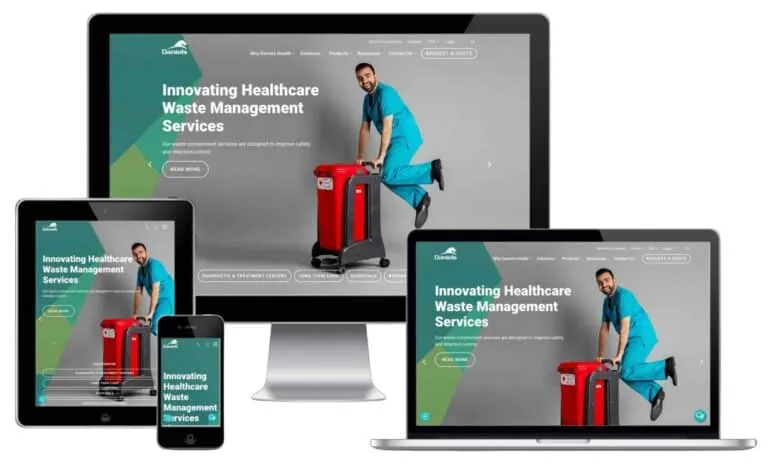
Daniels Health
Medical Waste | WordPress + WooCommerce
A rebuilt WordPress and WooCommerce platform for a national medical waste company: content and commerce on one owned stack, the architecture this page argues for, with an authority program layered on it. Engagement numbers as tracked.
- +520 Referring Domains
- +73% Search Visibility
- DR 58 Domain Rating
-
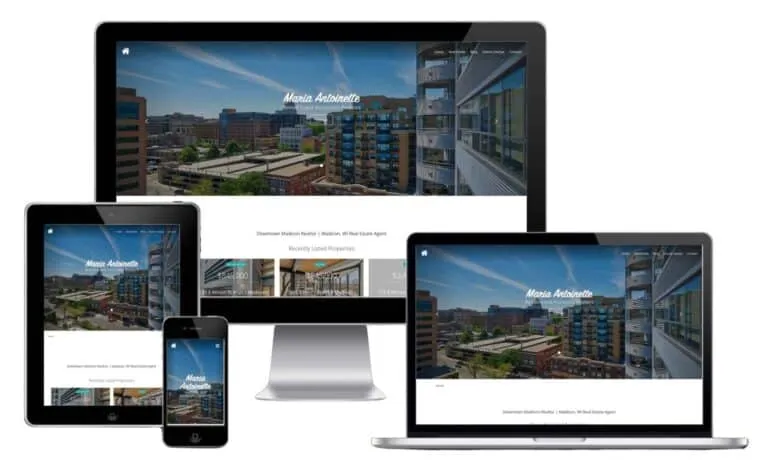
Antoinette Realtors
Madison Real Estate | WordPress Site + Local Program
A Madison realtor whose dated WordPress site undersold real local expertise. The rebuild and the local search program ran as one engagement, and the registered numbers below read across it whole.
- 4 → 24 monthly Organic Leads
- 70% Organic Traffic Growth
- 60% Local Visibility
-
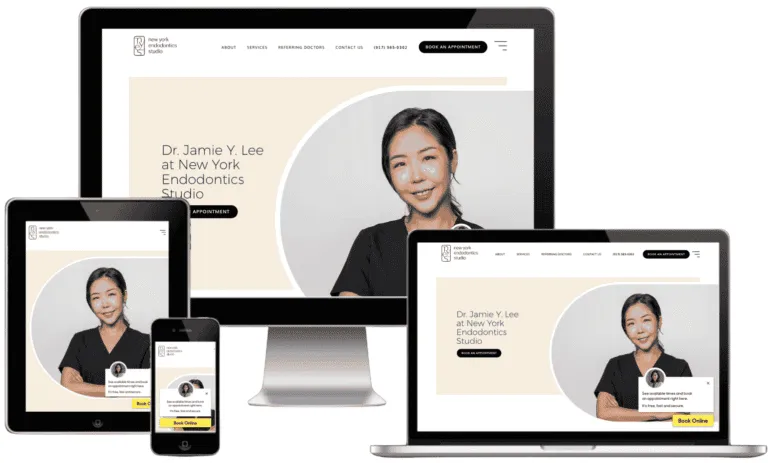
NY Endodontics Studio
NYC Dental Specialty | WordPress
A Manhattan specialty practice on WordPress that needed booked consults, not compliments. Practice-page templates, schema, and profile work ran as one program; numbers cover the engagement.
- 110% Organic Sessions Lift
- 96% New Users
- 132% GBP Discovery Views
-
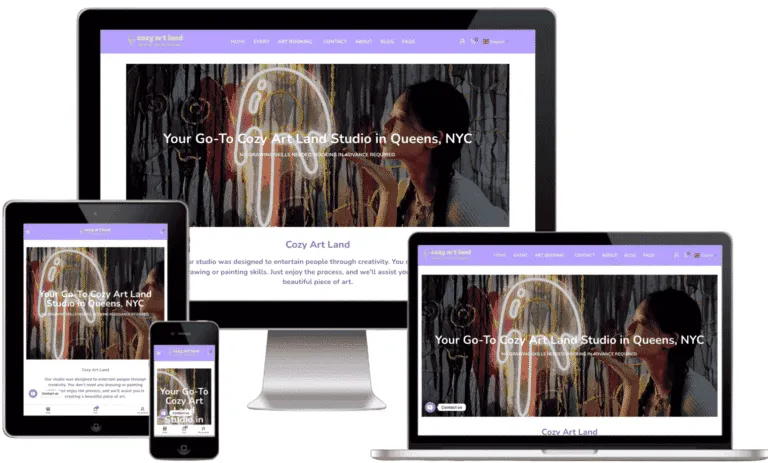
Cozy Art Land
Art Studio | WordPress
A local studio on WordPress competing for searches that end in bookings. Location page structure, GBP wiring, and on-page work moved the tracked keyword from buried to first; numbers as published.
- +120% Organic Sessions
- +85% GBP Calls
- 17 → 1 Tracked Keyword
-
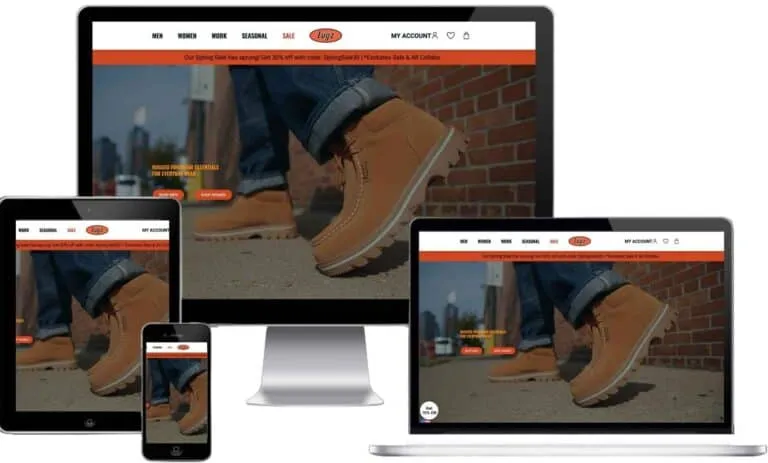
LUGZ Footwear
Footwear Brand | WordPress Publishing
A heritage footwear brand publishing on WordPress, where the owned content stack fed visibility that closed in the marketplace channel. Numbers as published, covering the engagement whole.
- +92% Organic Visibility
- +150K New Amazon Visitors
-
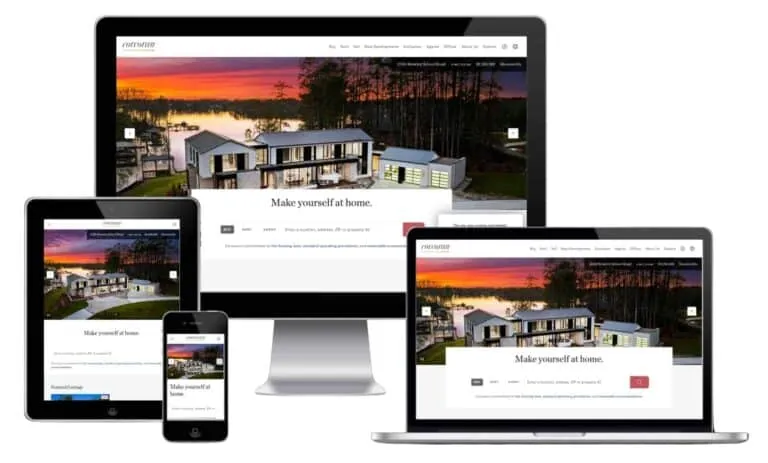
Corcoran Group
Luxury Real Estate | Template Rebuild + CWV
Web development and SEO for a premium New York real estate brand, one engagement covering both. Template rebuilds moved the loading metrics this page treats as launch gates; whole-engagement numbers.
- 3.4s → 2.1s LCP
- 340ms → 195ms INP
- +120% Organic Traffic
-
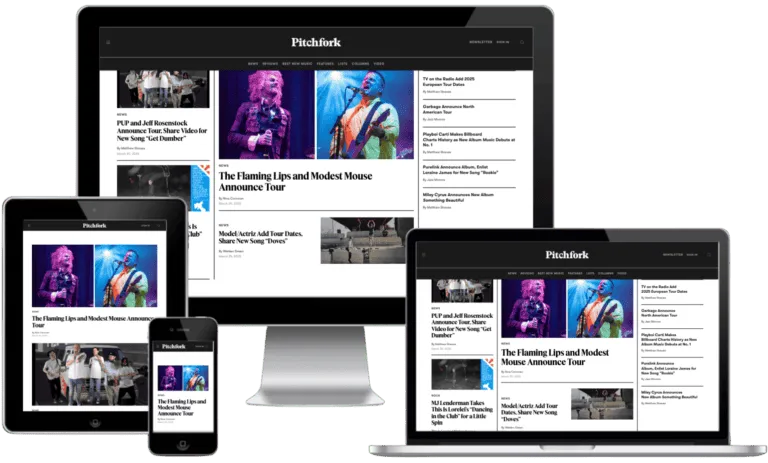
Pitchfork Media
Music Publisher | Editorial Scale
A publisher with millions of monthly readers, where template weight and archive structure decide everything. The same structure-first discipline this page sells, at publishing scale; numbers cover the engagement whole.
- 2.6M Monthly Visitors
- -60% Load Time
- +320% Engagement
The full write-ups live in our WordPress case studies, sliced from the case library so you can find sites shaped like yours.
Meet Your WordPress Web Design Team
The designers and developers who build the site, and the search specialists who make sure it earns its keep.
-

Jobin John
Chief Executive Officer
-

Justin Brown
Head of Search Engine Optimization
-

Bryan Thomson
Head of Web Design & Development
-

Ina Komins
Head of Social Media Marketing
-

Kierra Pita
Head of Advertising & Content Marketing
-

Patricia Turner
Chief Creative Officer
-

William Carter
Chief Digital Strategy Officer
-

Andrew Miller
Senior SEO Strategist
-

Amy Robinson
Content Marketing Manager
-

Betty Harrison
PPC Campaign Specialist
-

Anthony Carter
Lead Digital Account Executive
-

Amanda Cooper
Social Media Director
-

Carol Parker
Senior Client Success Manager
-

Barbara Bennett
Email Marketing Lead
-

Charles Turner
Technical SEO Analyst
-

Brian Sullivan
Creative Director
-

Christine Walker
Director of Project Management
-

Christopher Brooks
Digital Marketing Strategist
-

Daniel Wright
Senior Analytics Specialist
-

David Henderson
Lead Content Strategist
-

Donna Mitchell
Client Communications Manager
-

Elizabeth Foster
Director of Paid Advertising
-

Emily Baredi
Brand Experience Specialist
-

Emma Scott
Social Media Content Creator
-

George Crawford
Technical Solutions Architect
-

Jacob Evans
Digital Content Coordinator
-

James Anderson
Marketing Automation Specialist
-

Jason Palmer
Junior Copywriter
-

Jeffrey Reynolds
Paid Media Analyst
-

Jennifer Lewis
Community Engagement Specialist
-

Jonathan Murphy
SEO Reporting Specialist
-

Joseph Morgan
Influencer Marketing Coordinator
-

Kenneth Stevens
Digital PR Manager
-

Kimberly Harper
Digital Marketing Intern
-

Kevin Morris
SEO Outreach Specialist
-

Lee Dawson
Junior Web Developer
-

Linda Peterson
Email Campaign Coordinator
-

Lisa Thompson
Social Media Ads Specialist
-

Margaret Bradley
Marketing Operations Lead
-

Mark Richards
Data & Insights Analyst
-

Mary Kennedy
Senior Copyeditor
-

Matthew Clark
Growth Marketing Manager
-

Michelle Sanders
Junior Marketing Designer
-

Michael Foster
Senior Conversion Rate Specialist
-

Nancy Wheeler
Digital Analytics Manager
-

Nicholas Pierce
Affiliate Marketing Specialist
-

Nicole Adams
Outreach Program Coordinator
-

Paul Franklin
Paid Social Campaign Manager
-

Richard Barnes
Reputation Management Specialist
-

Robert Murphy
Lead Solutions Architect
-

Ronald Davis
Marketing Technology Analyst
-

Ryan Bell
Paid Media Buyer
-

Sandra Gregory
Digital Account Coordinator
-

Scott Hopkins
CRM Implementation Specialist
-

Shirley Ellis
Customer Insights Manager
-

Stephanie Cross
Brand Content Designer
-

Steven Greene
Web Analytics Specialist
-

Susan Price
Affiliate Campaign Manager
-

Thomas Fisher
Lead Technical Architect
-

Timothy Nash
Mobile Marketing Strategist
WordPress Web Design FAQs
Do you build custom WordPress themes?
Yes, from scratch, and we also build on premium themes when that is honestly the better buy for the budget. The theme-decision table on this page is the same framework we use in proposals, so you can see which recommendation you would get before you ever talk to us. Custom earns its price through design fidelity, page weight, and lifespan; premium earns its price by existing already.
Do you work with Elementor?
Yes. We build with Elementor Pro when your team needs to edit layouts themselves, and with native Gutenberg blocks when content editing is enough. Either way the build carries a weight budget and has to pass Core Web Vitals per template before launch, because editing freedom that costs you rankings was never free.
Can you build WooCommerce stores?
Yes: product and category templates, checkout paths, payment setup, and the speed discipline catalogs need, all covered in the WooCommerce section on this page. We will also tell you when WooCommerce is the wrong call, because a pure catalog store with no content program is often better served by a hosted commerce platform.
Can you migrate my site to WordPress?
Yes, from Wix, Squarespace, Webflow, Weebly, Joomla, and custom systems. Content moves whole, every old URL gets a one-hop redirect to its new home, and rankings get watched through the switch. Closed builders do not export working sites, so the move is real work, but it is the last time your website will ever be locked to a platform.
Do you provide WordPress hosting?
We set up and configure managed WordPress hosting in your name and your account, matched to the caching stack we build. We deliberately do not resell hosting: the account belongs to you, which keeps the ownership promise on this page intact and keeps our hosting advice honest, since we earn nothing from the recommendation.
Is WordPress secure?
The core software is actively maintained and audited; nearly every hacked WordPress site got in through an outdated plugin, a weak password, or bad file permissions. That is why security on our builds is a build-phase deliverable: SSL, login protection, correct permissions, a short plugin list, and an update rhythm that actually happens.
Do you provide training after launch?
Yes, and we consider the build unfinished without it. Your team gets live walkthroughs, recordings you can rewatch, and documentation covering pages, posts, media, and forms. A WordPress site your staff is afraid to touch has failed at the one thing WordPress is for, so training is in every project, not an add-on.
What does WordPress maintenance cost?
Ongoing care runs from $150/month: core and plugin updates, backups, security monitoring, and small content fixes, scaled by site size and stack. You can also run maintenance yourself; the handover documentation is written so a careful non-developer can, and we would rather you skip the plan than skip the updates.
Who owns the website when the project ends?
You do, completely: the theme and its code, the content, the database, the hosting account, the domain, and every admin login, all in your name at handover. There is no license back to us and no dependency designed in. If you leave, everything goes with you, which is the standard you should hold any WordPress agency to before signing.
What should I ask before hiring a WordPress web design company?
Ask which theme strategy they recommend and why, and expect the total cost of ownership, not just the build price. Ask whose name the hosting, domain, and admin accounts sit in at handover, and whether documentation ships with the build; held accounts and undocumented sites are how agencies become landlords. Read any certified WordPress expert claim skeptically, since no official certification exists.
Can you fix my existing WordPress site instead of rebuilding it?
Often, yes. Plenty of underperforming WordPress sites need a plugin audit, speed work, and targeted template fixes rather than a rebuild, and that is a smaller invoice. The audit reads your site first and recommends on evidence; when repair is the honest answer, that is the project we quote.
What is included in Egochi’s WordPress web design service?
A custom WordPress build you own outright: theme work, responsive templates, SEO fundamentals set at build time, accessibility to WCAG 2.2 AA practice, speed work against Core Web Vitals, training at handoff, and optional month-to-month maintenance. Deliverables are named in the written scope by page and template, so nothing hides behind the phrase custom build.
How do I choose a WordPress web design company?
Ask what you own at launch; theme, plugins, and content should all be yours. Ask whether the build uses a custom theme or a page builder, and why. Ask how updates and backups are handled after launch and what that costs monthly. Ask to load three of their live WordPress sites on your phone. And ask how the build handles speed, since a slow theme choice follows you for years.
Ready for a WordPress Site You Actually Own?
Tell us about your project and we will send back a proposal with real recommendations in it: which theme strategy fits your team, what the build honestly costs, and what we would skip. If the answer is a premium theme and a walkthrough, the proposal will say so.
Questions? Call (888) 644-7795 or email care@egochi.com
Egochi Stats
- 250+ Google Reviews
- 5.0 Clutch Rating
- 12+ Years Experience
- $200M+ Revenue Generated
- 4 US Offices
- 190+ Clutch Reviews
Blog Posts
- Aug 12, 2026 GEO vs. SEO: A Comparative Guide for Digital Marketers
- Aug 12, 2026 What is llms.txt? | How to Create llms.txt file for your website
- Aug 12, 2026 What is Semantic SEO? | How to Build Topical Authority That Ranks
- Aug 12, 2026 What is Schema Markup? | How to Add Structured Data to Your Website
- Aug 12, 2026 How to Optimize for Voice Search: A Realistic 2026 Guide