Electrician Website Design
Visitors judge an electrician's website in about half a second, and what they scan for is not clever design. It is your license number, your insurance, and a way to reach you that fits their situation. Egochi designs electrician websites that pass that test: credentials in the header, a tap-to-call path for the visitor whose outlet is sparking right now, a quote path with photos and price context for the one planning a panel upgrade, and a page for every job type you sell. Egochi uses real project photos throughout, because homeowners can spot stock. Built static-fast for phones, where most of your visitors already are. Site builds are quoted per project; ongoing plans that include design work start at $1,500 monthly. Get a free quote.
Get Your Free Website Quote See What's Included
- 250+ Google Reviews
- 190+ Clutch Reviews at 5.0
- Google Premier Partner
As Featured In






What an Electrician Website Has to Get Right
Four decisions Egochi makes that separate a site that books jobs from a brochure.
The half-second credential check
Nobody hires an unlicensed electrician on purpose, so the first thing a visitor hunts for is proof you are legitimate. License number, insurance, and years in the trade belong in the header and above the fold on every page, not buried in a footer. Egochi builds that placement in first, because it alone decides many visits.
Two visitors, two paths
The person with a burning smell needs one giant tap-to-call button and nothing in the way. The person planning an EV charger install wants photos, price context, and a quote form they can send at 11pm. A single generic "Contact Us" fails both, so Egochi designs the two paths separately.
A page per job type, with honest price context
Panel upgrades, EV charger installs, and rewires each deserve their own page, so Egochi writes each one with a real cost range and what moves it. Price context filters out the callers you would have lost at the estimate anyway, and the ones who do call arrive pre-qualified and expecting your number.
Most visits happen on a phone
Emergency searches especially, but planned ones too. Egochi builds static sites that load fast on a weak signal, keep the call button under the thumb, and hold Core Web Vitals in the green, because the emergency visitor gives a slow site about two seconds before calling the next result.
What's Inside an Electrician Website Build
Six deliverables Egochi ships, all in service of the visitor who is ready to call.
-
License-Forward Layout
Egochi places your license number, insurance, and certifications in the header, footer, and every service page, visible before a single scroll.
-
Emergency Call Path
Egochi builds a persistent tap-to-call button and an emergency section with zero friction, designed for someone reading on a phone in a dark kitchen.
-
Job-Type Service Pages
Egochi writes a page for each service, from panel upgrades to EV chargers, with honest price context and the questions homeowners ask before booking.
-
Static-Fast Build
Egochi ships a modern static build with green Core Web Vitals, no plugin bloat, and load times that hold up on a phone with two bars of signal.
-
Real Photo Workflow
Egochi sets a simple capture routine for your crew and handles the editing, so the site shows your actual vans, panels, and people instead of stock strangers.
-
Proof and Review Placement
Egochi places your real reviews and completed projects at decision points: beside quote forms, on service pages, wherever hesitation happens.
How an Electrician Website Feeds AI Answers
A homeowner now asks an assistant whether flickering lights are dangerous, what a panel upgrade costs, and which licensed electrician nearby installs EV chargers, and the answer gets built from websites the systems can read cleanly. Egochi builds electrician sites as that source: structured license, service, and service-area data that AI Overviews, ChatGPT, Gemini, and Perplexity can identify and cite.
Google AI OverviewsChatGPTGeminiPerplexity
-
Job-type pages written as answers
AI Overviews and ChatGPT lift from pages that answer one question plainly: what a panel upgrade involves, when a permit is needed, what a fair range looks like. Egochi writes every job-type page in that shape, so the site earns citations and classic rankings from the same copy.
-
Schema behind the visible page
Egochi marks up your license, insurance, services, and service areas in structured data that always matches what the page visibly says. Gemini and Perplexity resolve which contractor to recommend through exactly those machine-readable signals.
-
Clean, fast markup the systems parse
A static build without plugin bloat is not just a speed win for the emergency visitor. Egochi ships semantic, crawlable pages that answer engines can read without ambiguity, so nothing about the platform stands between your content and a citation.
-
One site serving every surface
The credential placement, honest price context, and review proof that convert human visitors are the same signals assistants verify before naming a company. Egochi builds them once and reports Google and AI visibility as one outcome of the same site.
How an Electrician Site Gets Built
-
Teardown of the current site
Egochi reviews your existing site the way a visitor does: where the license shows, how many taps it takes to call, what loads on a weak signal, and which job types have no page at all.
-
Architecture and page map
You approve a sitemap Egochi drafts before design starts: a page per job type, an emergency path, a quote path, and the service-area structure, so nothing important gets bolted on after launch.
-
Design around credentials and calls
Egochi puts your license, insurance, and phone number where the half-second scan lands, with real project photos placed against every claim the copy makes, so trust never rests on words alone.
-
Static build and speed pass
Egochi ships the site as a modern static build, tested on slow connections and mid-range phones, with Core Web Vitals held in the green before launch rather than patched after it.
-
Launch, tracking, and handoff
Call and form tracking go live with the site, Egochi sets redirects that preserve any rankings you already hold, and you get a simple way to add new photos and reviews without breaking anything.
Fair Questions About Electrician Websites
Our phone rings fine. Do we even need a new site?
Maybe not, and Egochi will say so after a look. The test is simple: if your license is invisible, the site takes seconds to load on a phone, or planned-work shoppers cannot find a panel or EV charger page, you are losing calls you never knew existed. A ringing phone measures the jobs you got, not the ones that went next door.
Why not a cheap template from a site builder?
Templates are fine at looking like a website and poor at converting electrical customers. They bury credentials, load slowly under plugin weight, and give every job type the same generic page. If budget is tight, Egochi would rather build you a small, fast site with the license up top and three strong job-type pages, because that beats a sprawling template every time.
What does a good electrician website actually change?
Two numbers: the share of visitors who call, and the quality of those calls. Credentials up front win the trust scan, separate emergency and quote paths stop each visitor type from blocking the other, and honest price context on job-type pages filters out the estimates that were never going to close.
How long does a build take, and what do you need from us?
A focused local site typically runs a few weeks from kickoff, longer if photography needs gathering. Egochi needs the license details, your service list, real job photos, and about an hour of questions. Contractors who supply photos early cut the timeline more than any other single thing.
Common Mistakes to Avoid
-
Hiding the license number in the footer, failing the first check every visitor runs before reading a single word of copy.
-
Making the emergency visitor fill out a contact form when their situation calls for a phone number under their thumb.
-
Using stock photos of models in hard hats, which homeowners recognize instantly and quietly hold against you.
-
Launching without a page for EV charger installs while paying for ads that send those shoppers to a generic services list.
-
Rebuilding the site without redirects and losing the rankings the old pages had quietly earned over years.
Website Builds That Paid Off for Local Trades
Egochi has not published an electrician site build yet, so these receipts come from trade and local-business builds across the roster. Every number restates the client's published case study, and the trade sites lead the row because their visitors behave the way an electrical contractor's visitors behave.
-
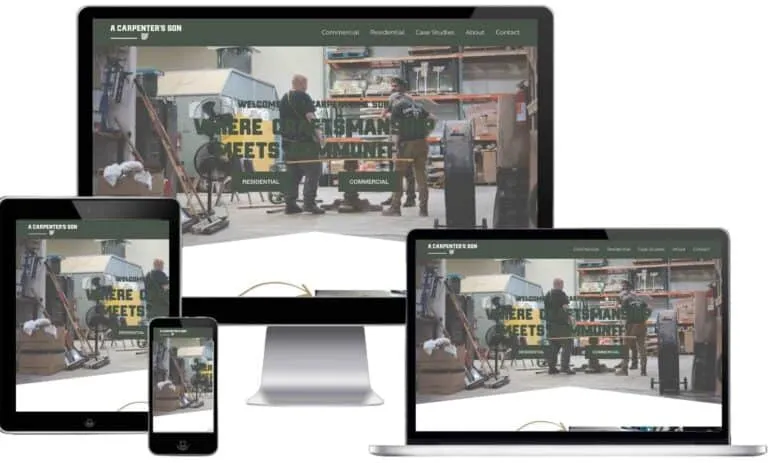
A Carpenter's Son Design Company
Custom Carpentry | Web Design & PPC
A craft trade whose site had to make skilled work sell itself, the job every contractor site has. Egochi rebuilt the site around the portfolio and the quote path, and revenue from custom orders rose.
- +85% Custom Order Revenue Rise
- +87% Organic Traffic Increase
- +80% PPC Conversion Rate Climb
-
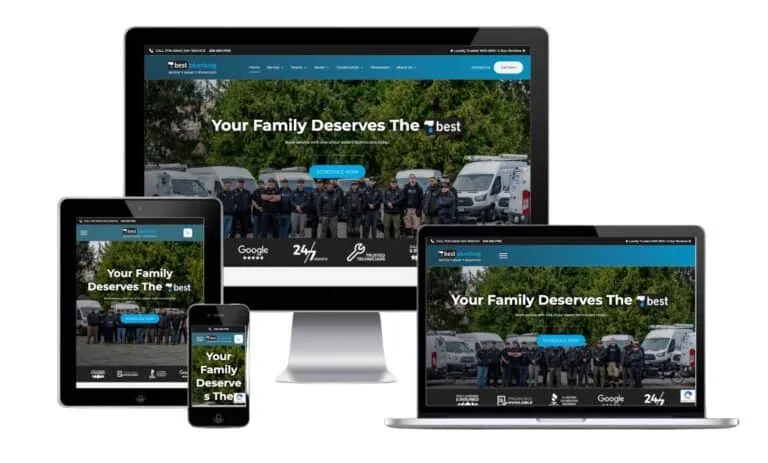
Best Plumbing
Plumbing Contractor | Seattle, WA
A licensed trade site with the same two visitors: the emergency caller and the quote shopper. Egochi redesigned the site and its calls to action, and the share of visitors becoming inquiries climbed by half.
- +50% Conversion Rate Improvement
- +65% Local Inquiry Growth
- +75% Organic Traffic Increase
-
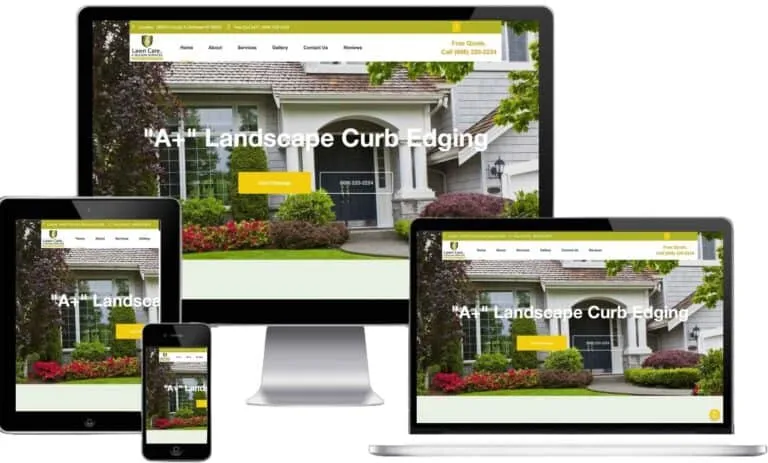
A+ Lawn Care
Home Services | Web Design & Local SEO
A truck-and-crew business whose old site undersold the quality of its work, a story most contractors know. Egochi rebuilt the design and content, and homeowner inquiries grew with the visibility.
- +60% Customer Inquiry Growth
- +80% Organic Traffic Increase
- +70% Local Map Visibility Lift
-
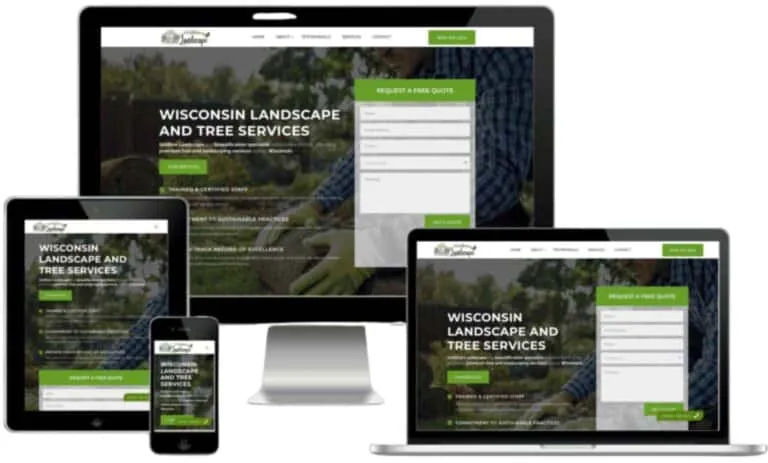
Gridline Landscape
Lawn & Landscaping | Wisconsin
A Wisconsin trade whose redesign had to carry clearer messaging and local reach at once. Egochi shipped the new design with the content and map work, and engagement rose alongside the leads.
- +60% Online Engagement Lift
- +80% Organic Traffic Increase
- +70% Local Lead Growth
-
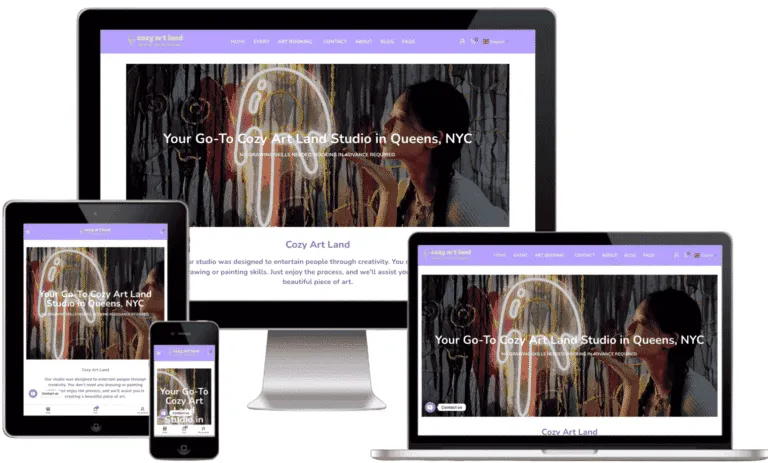
Cozy Art Land
Local Studio | Long Island City, NYC
A neighborhood business whose site had one job, turning nearby searches into bookings. Egochi built the presence that moved its tracked keyword to position one and the bookings that followed.
- +60% Bookings or Form Submits
- 17 → 1 Tracked Keyword Position
- +75% GBP Website Clicks
-

InHealth RVA
Healthcare Clinic | Richmond, VA
A local clinic site measured in appointment requests, the way a contractor site is measured in quote requests. Egochi rebuilt it for speed and accessibility, and the request volume followed.
- 120 Monthly Appointment Requests
- +82% Organic Traffic Growth
- 98% ADA Compliance Score
See How Egochi Works
A short look at how our team plans, builds, and reports on client work.
Is This Right for You?
This is for you if
- Your current site hides the license in the footer and funnels everyone to one contact form.
- You are adding services like EV charger installation and the site has nowhere credible to put them.
- Your site drags on phones and you suspect emergency callers are not waiting around to find out.
This may not be the right fit if
- You want a stock-photo template live by Friday; a site Egochi builds to convert takes real project material and a few weeks.
- You only need a business-card page and no new work from search; a full rebuild will not earn its cost back there.
See the work: Plumbing case studies · Web design case studies
What Clients Tell Us
Commercial electrical work has long sales cycles. Egochi helped us stay top of mind with content marketing and retargeting. When construction managers are ready to bid, they call us first.
The Complete Electrical Program
This page is one part of a five-part program. Each piece works alone and works better together.
-
Electrician Marketing Agency
The full program across emergency, planned, and commercial demand.
-
Electrician SEO
Job-type rankings from panel upgrades to EV charger installs.
-
Electrician PPC
Waste discipline at the second-highest click prices in home services.
-
Electrician Social Media Marketing
Referral-feed content and the safety education that gets shared.
Common Questions About Electrician Websites
-
How much does an electrician website cost?
Site builds are quoted by scope after a short call, since a five-page local site and a multi-town contractor site are different projects. Many electricians fold the build into an ongoing plan, which starts at $1,500 monthly at Egochi and covers design, SEO, and updates together.
-
What should an electrician website homepage include?
License number and insurance up top, service area, a tap-to-call button that follows the scroll, your main job types with links to their pages, real project photos, and reviews. In that order, roughly: the visitor verifies you are legitimate first and browses second.
-
Does an electrician need a separate page for each service?
Yes. Someone researching a panel upgrade has different questions and different price anxiety than someone pricing an EV charger install, and search treats them as different topics too. One page per job type serves the visitor better and gives each search something to rank.
-
Can a website help an electrician get cited by AI assistants?
That is where the citations come from. Homeowners ask AI Overviews, ChatGPT, Gemini, and Perplexity whether an electrical problem is dangerous and which licensed electrician serves their area, and the systems answer from sites they can read cleanly. Egochi structures your license, service, and service-area data so they identify the company, and the same structure wins classic rankings.
-
What should I look for in a web designer for an electrical business?
Ask where your license number will sit; a designer who plans to put it in the footer has not studied how visitors scan a contractor site. Ask whether emergency callers and quote shoppers get separate paths, whether the build stays fast on a phone with two bars of signal, since your highest-value visitor is often standing in a dark house, and how redirects preserve the rankings your old pages earned. Real project photos over stock is non-negotiable.
Awards and Partnerships Egochi Holds in 2026
-

Egochi Named 2026 Top Digital Marketing Agency by Clutch
Clutch, a B2B market research and reviews platform, names Egochi a top digital marketing agency for 2026. The distinction rests on overall market presence and, most importantly, verified client feedback. Egochi holds a 5.0 rating across 190+ reviews on Clutch.
-

Egochi Is a Certified Google Premier Partner
Egochi is a certified Google Premier Partner, a status Google grants to the top 3% of participating advertising agencies each year. The tier is earned on campaign performance, sustained client growth, and advanced Google Ads certification, and Google reviews it annually rather than granting it for life.
The Team Behind the Work
-

Jobin John
Chief Executive Officer
-

Justin Brown
Head of Search Engine Optimization
-

Bryan Thomson
Head of Web Design & Development
-

Ina Komins
Head of Social Media Marketing
-

Kierra Pita
Head of Advertising & Content Marketing
-

Patricia Turner
Chief Creative Officer
-

William Carter
Chief Digital Strategy Officer
-

Andrew Miller
Senior SEO Strategist
-

Amy Robinson
Content Marketing Manager
-

Betty Harrison
PPC Campaign Specialist
-

Anthony Carter
Lead Digital Account Executive
-

Amanda Cooper
Social Media Director
-

Carol Parker
Senior Client Success Manager
-

Barbara Bennett
Email Marketing Lead
-

Charles Turner
Technical SEO Analyst
-

Brian Sullivan
Creative Director
-

Christine Walker
Director of Project Management
-

Christopher Brooks
Digital Marketing Strategist
-

Daniel Wright
Senior Analytics Specialist
-

David Henderson
Lead Content Strategist
-

Donna Mitchell
Client Communications Manager
-

Elizabeth Foster
Director of Paid Advertising
-

Emily Baredi
Brand Experience Specialist
-

Emma Scott
Social Media Content Creator
-

George Crawford
Technical Solutions Architect
-

Jacob Evans
Digital Content Coordinator
-

James Anderson
Marketing Automation Specialist
-

Jason Palmer
Junior Copywriter
-

Jeffrey Reynolds
Paid Media Analyst
-

Jennifer Lewis
Community Engagement Specialist
-

Jonathan Murphy
SEO Reporting Specialist
-

Joseph Morgan
Influencer Marketing Coordinator
-

Kenneth Stevens
Digital PR Manager
-

Kimberly Harper
Digital Marketing Intern
-

Kevin Morris
SEO Outreach Specialist
-

Lee Dawson
Junior Web Developer
-

Linda Peterson
Email Campaign Coordinator
-

Lisa Thompson
Social Media Ads Specialist
-

Margaret Bradley
Marketing Operations Lead
-

Mark Richards
Data & Insights Analyst
-

Mary Kennedy
Senior Copyeditor
-

Matthew Clark
Growth Marketing Manager
-

Michelle Sanders
Junior Marketing Designer
-

Michael Foster
Senior Conversion Rate Specialist
-

Nancy Wheeler
Digital Analytics Manager
-

Nicholas Pierce
Affiliate Marketing Specialist
-

Nicole Adams
Outreach Program Coordinator
-

Paul Franklin
Paid Social Campaign Manager
-

Richard Barnes
Reputation Management Specialist
-

Robert Murphy
Lead Solutions Architect
-

Ronald Davis
Marketing Technology Analyst
-

Ryan Bell
Paid Media Buyer
-

Sandra Gregory
Digital Account Coordinator
-

Scott Hopkins
CRM Implementation Specialist
-

Shirley Ellis
Customer Insights Manager
-

Stephanie Cross
Brand Content Designer
-

Steven Greene
Web Analytics Specialist
-

Susan Price
Affiliate Campaign Manager
-

Thomas Fisher
Lead Technical Architect
-

Timothy Nash
Mobile Marketing Strategist
Certified & Accredited


A Website That Wins the First Half Second
Send us your current site and a few recent jobs. Egochi, a 5.0 rated agency across 190+ Clutch reviews, quotes what we would build, what it costs, and what it should book for you.
Egochi Stats
- 250+ Google Reviews
- 5.0 Clutch Rating
- 12+ Years Experience
- $200M+ Revenue Generated
- 4 US Offices
- 190+ Clutch Reviews
Blog Posts
- Aug 12, 2026 GEO vs. SEO: A Comparative Guide for Digital Marketers
- Aug 12, 2026 What is llms.txt? | How to Create llms.txt file for your website
- Aug 12, 2026 What is Semantic SEO? | How to Build Topical Authority That Ranks
- Aug 12, 2026 What is Schema Markup? | How to Add Structured Data to Your Website
- Aug 12, 2026 How to Optimize for Voice Search: A Realistic 2026 Guide